You keepUS$200a wedding
Over a yearUS$4,00020 weddings
Example figures: you set your own price. WedClic costs US$49 for each wedding you unlock.
Every guest uploads to one link that carries your business name, from any phone, with no app. Each clip arrives as the original file, in the right wedding, ready for your edit. Collection costs you US$49 a wedding.
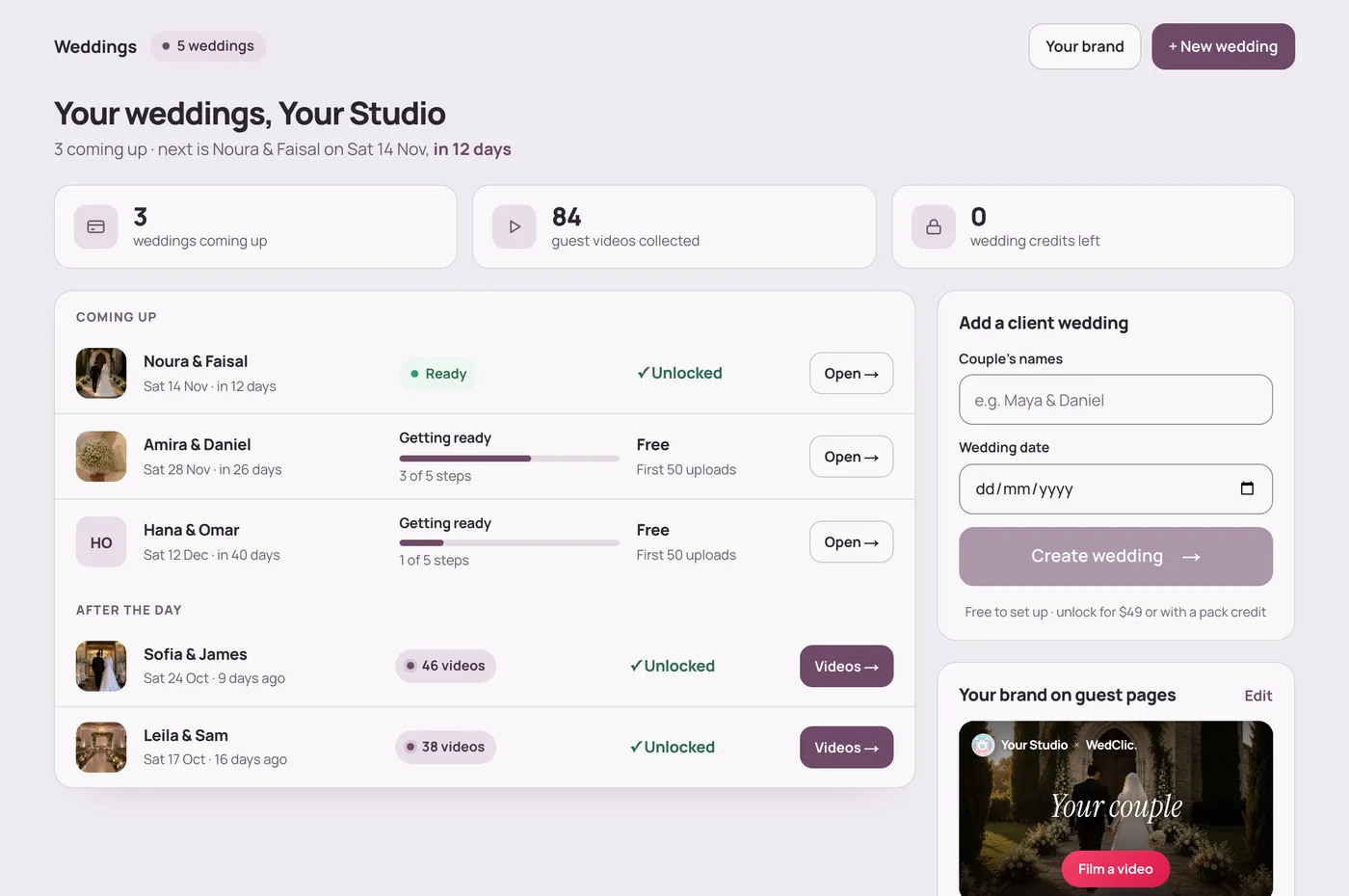
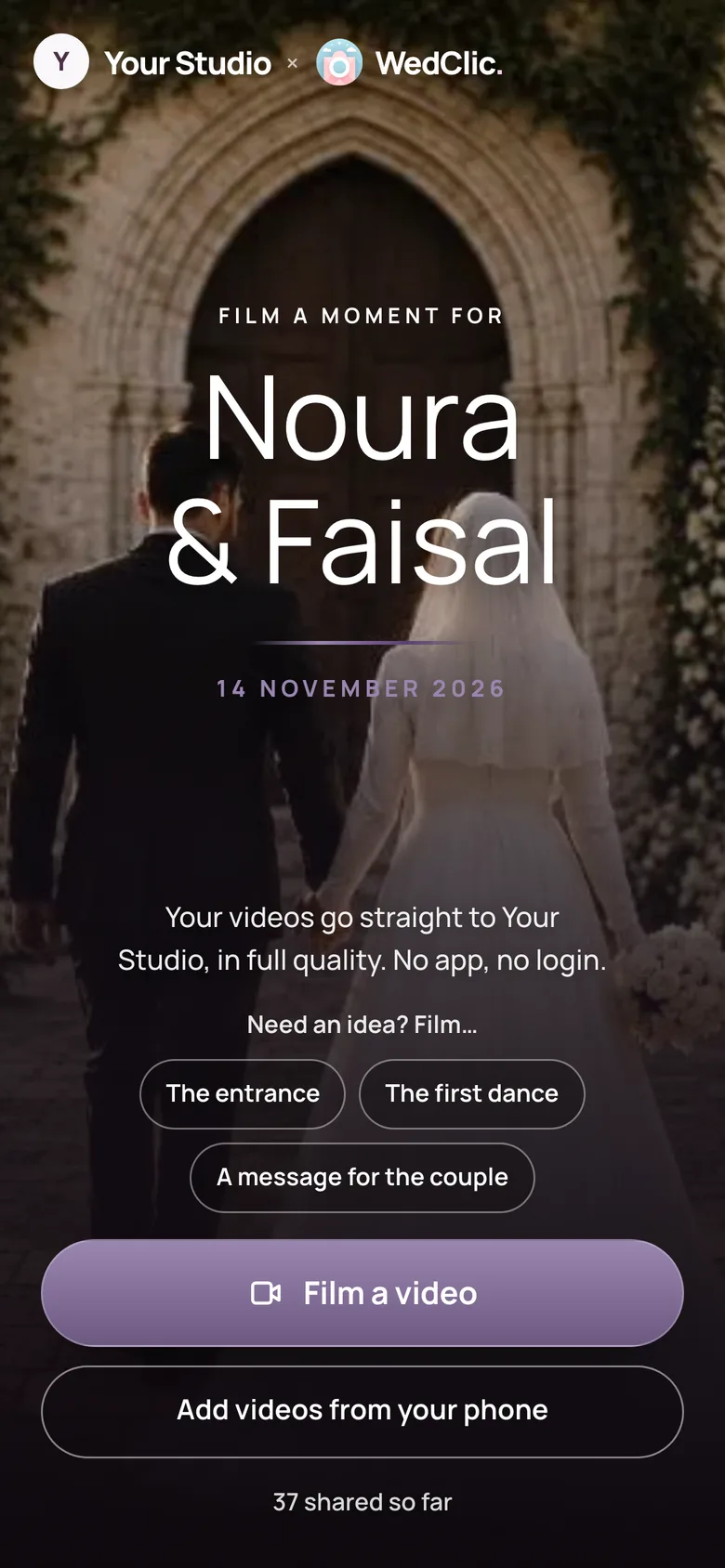
One QR code per wedding, under your name. Every clip lands in that wedding.
With WedClic for Pros, each client wedding gets its own QR code and guest page under your business name. Guests scan, pick a shot from your list and film. Their clips upload from the phone’s browser at full quality, up to 2 GB each, with no app, and wait in that wedding for you to download as original files. It costs US$49 per wedding.
How it works
Type the couple’s names and date. Put the QR code in the invitation, on the tables and on the welcome sign.
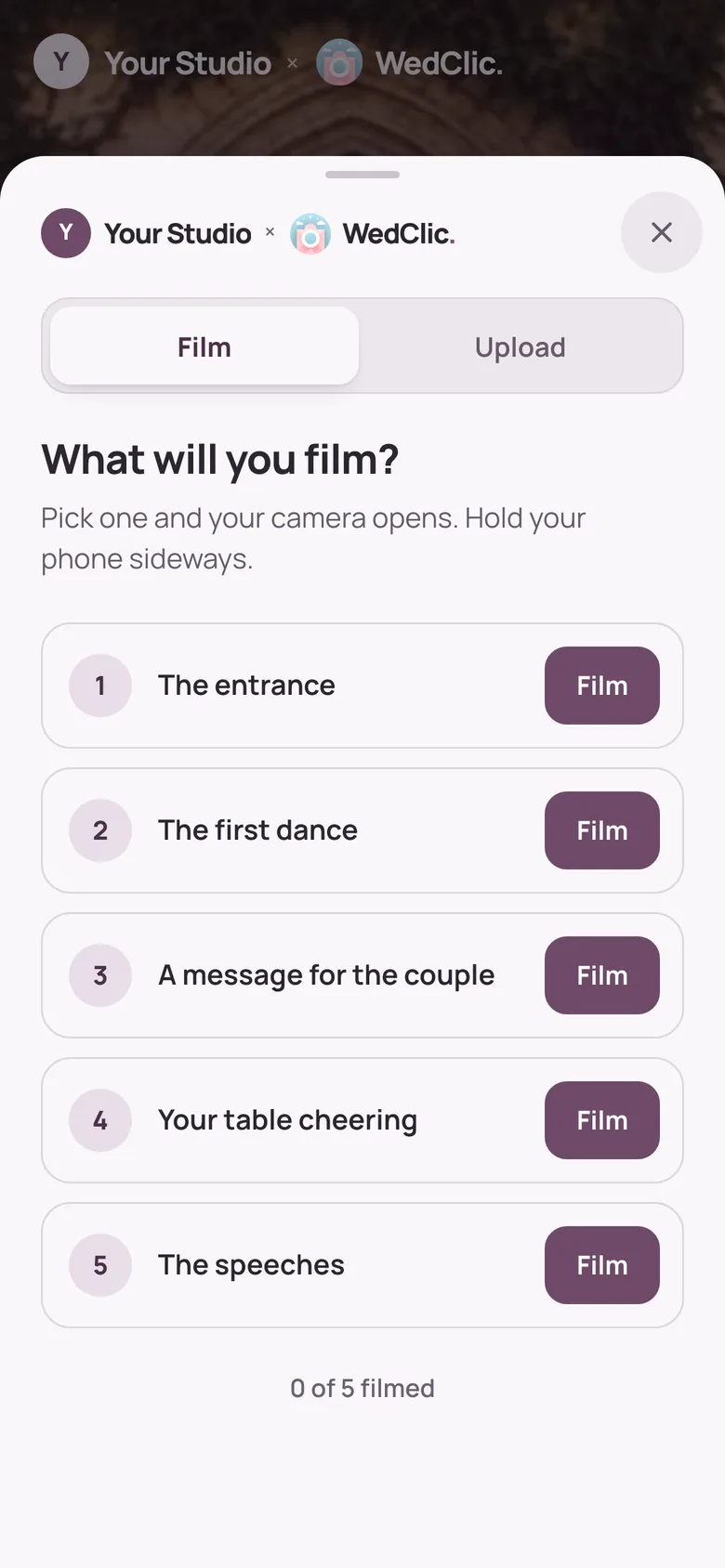
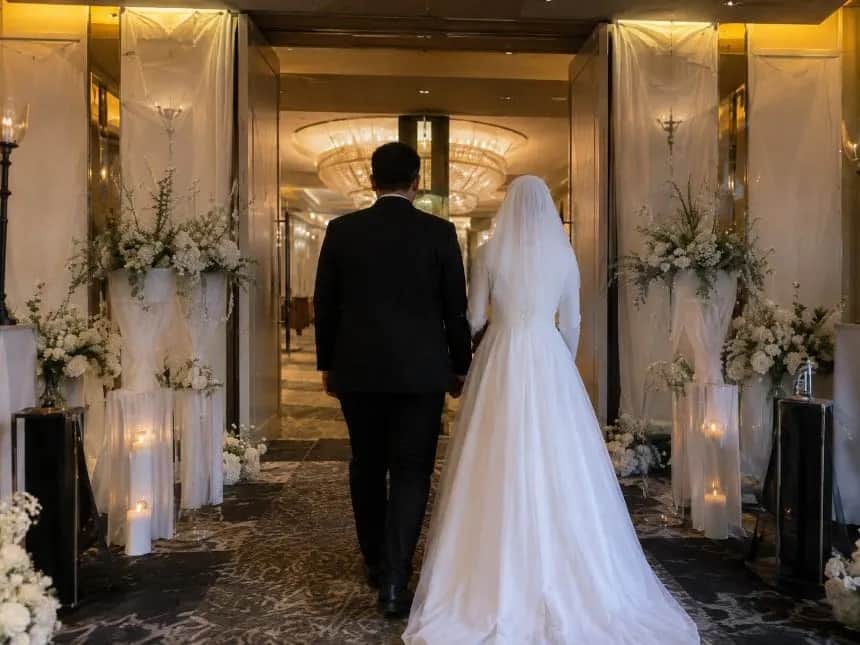
The page asks “What will you film?”: the entrance, the first dance, a message for the couple. You can change the list for every wedding.
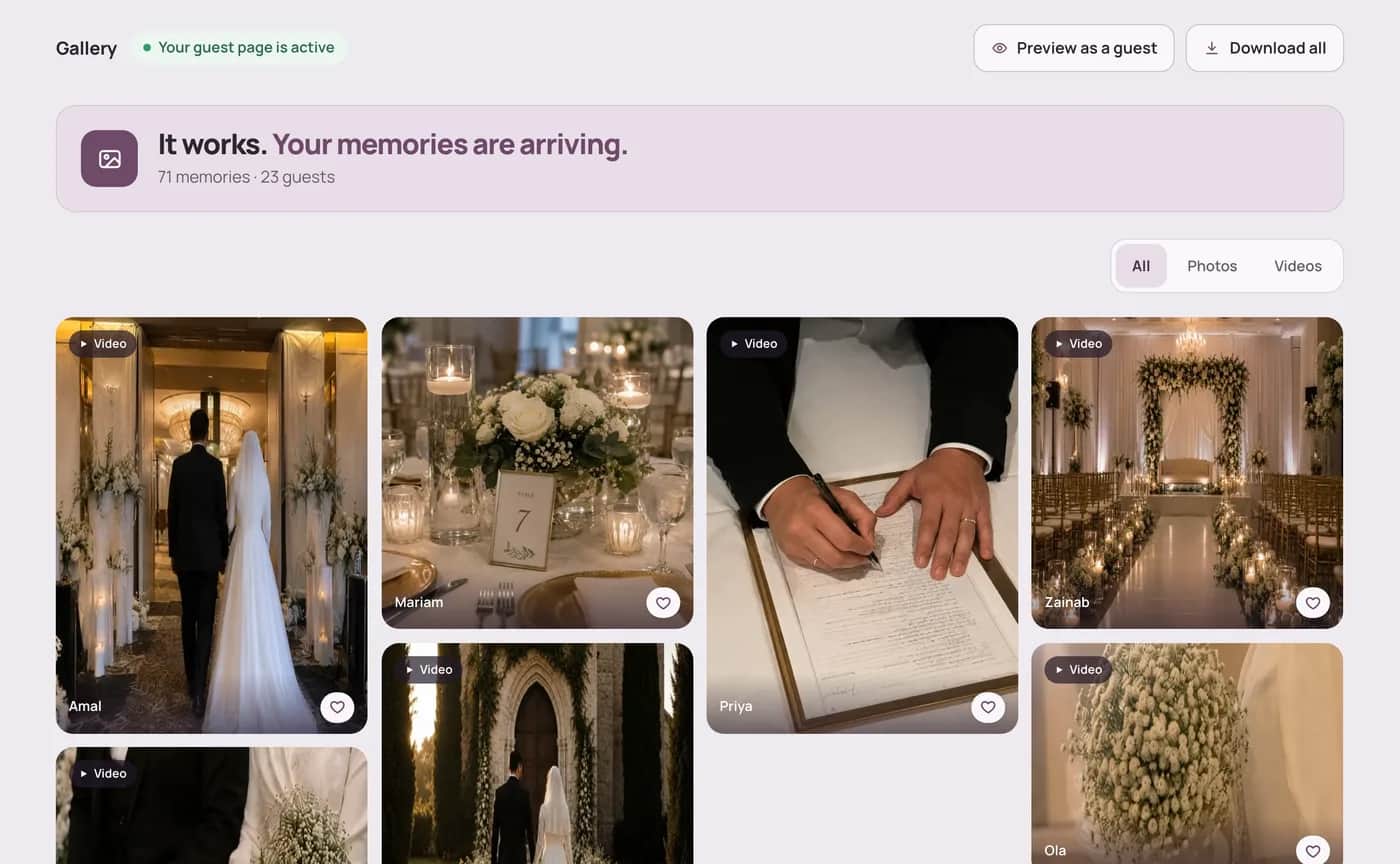
No chasing clips over WhatsApp, AirDrop and Drive. Every file is already in that wedding, exactly as it was recorded.
 Free guideHow to start a guest-filmed wedding video businessThe offer, the price, the guest brief and the edit, step by step.Read the guide
The money
Collection becomes a small, fixed cost inside your package, with no monthly fee in the quiet months.
Example figures: you set your own price. WedClic costs US$49 for each wedding you unlock.
What WedClic costs you
US$49per wedding, once
Wedding packs are coming for busy seasons. Pack credits never expire, and a pack’s unused weddings can be refunded within 30 days.
Why not a group chat?
WhatsApp, AirDrop or a shared Drive
WedClic for Pros


Questions
What wedding businesses ask before their first wedding.
No. WedClic keeps every video exactly as the guest’s phone uploaded it, and your download uses those original files. Smaller clips also get a lighter copy so they play quickly in the browser, but the original is never replaced.
Up to 2 GB per video and 50 MB per photo. Large files upload in small parts, so a weak venue signal retries one part instead of starting the whole clip again.
Yes. On a phone, tapping a shot opens the camera, and the guest is asked to hold the phone sideways. Guests can also add videos they already filmed from their camera roll.
Yes. The top of every guest page reads “your business × WedClic”, with your logo, and tells guests their videos go straight to you.
Yes. One Pro login holds all your client weddings. Each one has its own QR code, link, shot list and download, and you switch between them in the dashboard.
Every wedding starts free, so you can set it up and test the page with the couple. The first 50 uploads show. Guests can keep uploading after that; later uploads are kept and open as soon as you unlock the wedding for US$49.
No. Guests scan the QR code or open the link, and the page works in their phone’s browser. There is no app to install and no guest account.
No. Pro guest pages never ask guests for their email address and never show them WedClic offers.
No. You pay US$49 once for each wedding you unlock. Nothing renews, so a quiet month costs you nothing.
Send the form at the bottom of this page, or email hello@wedclic.com with your business name. Pro accounts are set up by hand for now, and every wedding starts free, so you can test the guest page before you pay.
Get set up
Tell us about your business. Pro accounts are set up by hand for now, and every wedding starts free, so you can test the guest page with a couple before you pay.